


Methods to Access Your BC Game Account
Short answer first. One account, opened from a browser, from the Android APK or from the iPhone shortcut. Login sits next to Sign Up at the top, and pressing it brings up the form.
Is “BC Game Indonesia login” a separate thing? No. One global site, Indonesian interface optional.
What about the BC Game login bonus you keep seeing in ads? Pure invention. Nobody pays you to sign in. Rakeback and the daily bonus are real, though, and you’ll collect them inside, after betting.
Logging Into Your Account Instructions
Six steps, and a phone or a PC makes no difference.
- Open bc.game. If it’s blocked, use the mirror support named.
- Check the address and the padlock.
- Press Login.
- Give the inbox or number you registered and the password, or tap Cwallet, passkey, Telegram or Google.
- If 2FA is on, add the six digits from the authenticator app.
- Wait for the lobby.
No phone, no code, no way round step 5. That’s the point of 2FA.
A Practical Guide to entering Your Account Through the Website
I’d learn the browser version first, because the APK and the iPhone shortcut both copy it. Type the address yourself or use a bookmark you saved earlier.
About Indonesia, said once. Gambling for money is forbidden by Indonesian law (KUHP article 303), and the site’s licence is Anjouan’s, nothing closer. Komdigi blocks the main address now and then, so a mirror becomes necessary. Support hands them out, and the Telegram channel, newsletter and Help Centre carry them too.
Important Points About quick Facts About BC Game Account Access
The real ways in, side by side.
| Login Method | Supported Device | Required Information | Main Features |
| Email plus password | Any browser, the APK, the iPhone shortcut | Registered email, password, 2FA code when on | Works everywhere, resettable |
| Phone plus password | Same three | Registered number, password, 2FA code when on | Same, for phone sign-ups |
| Anything signed in to Google | Your Google account | No site password to remember | |
| Telegram | Anything with Telegram open | A tap inside Telegram | Quick on a phone |
| Passkey | The device where you made it | Fingerprint, face scan or PIN | Nothing to type, nothing to steal |
| Cwallet | Anything with a Cwallet account | Your Cwallet account | For existing Cwallet users |
Mobile Logging Into Your Account Options
Most readers here use a phone. Android gives you two routes, iPhone one, and all of them open one account with one password.
Playing daily? Install the app or add the shortcut, since both skip typing the domain and mistyping it.
Logging In From an Android Device
The BC Game app login means the same site wrapped in an APK. Find that file in the Application tab of bc.game, because Google Play has never carried it.
Like most apps, it tends to stay signed in, which is handy and a little risky. Set a screen lock, and should the phone vanish, change the password from another device at once.
Logging In With an iPhone or iPad
No App Store download exists, and none is needed. In Safari, open the Share menu and pick the Home Screen entry. The icon then behaves like an app, full screen, and it updates by itself.
Face ID can fill a password kept in your keychain, and a passkey can replace it once made. Same on iPad. iOS 11 or newer, says the brand.
hain, and a passkey can replace it once made. Same on iPad. iOS 11 or newer, says the brand.
Accessing an Account on a Computer
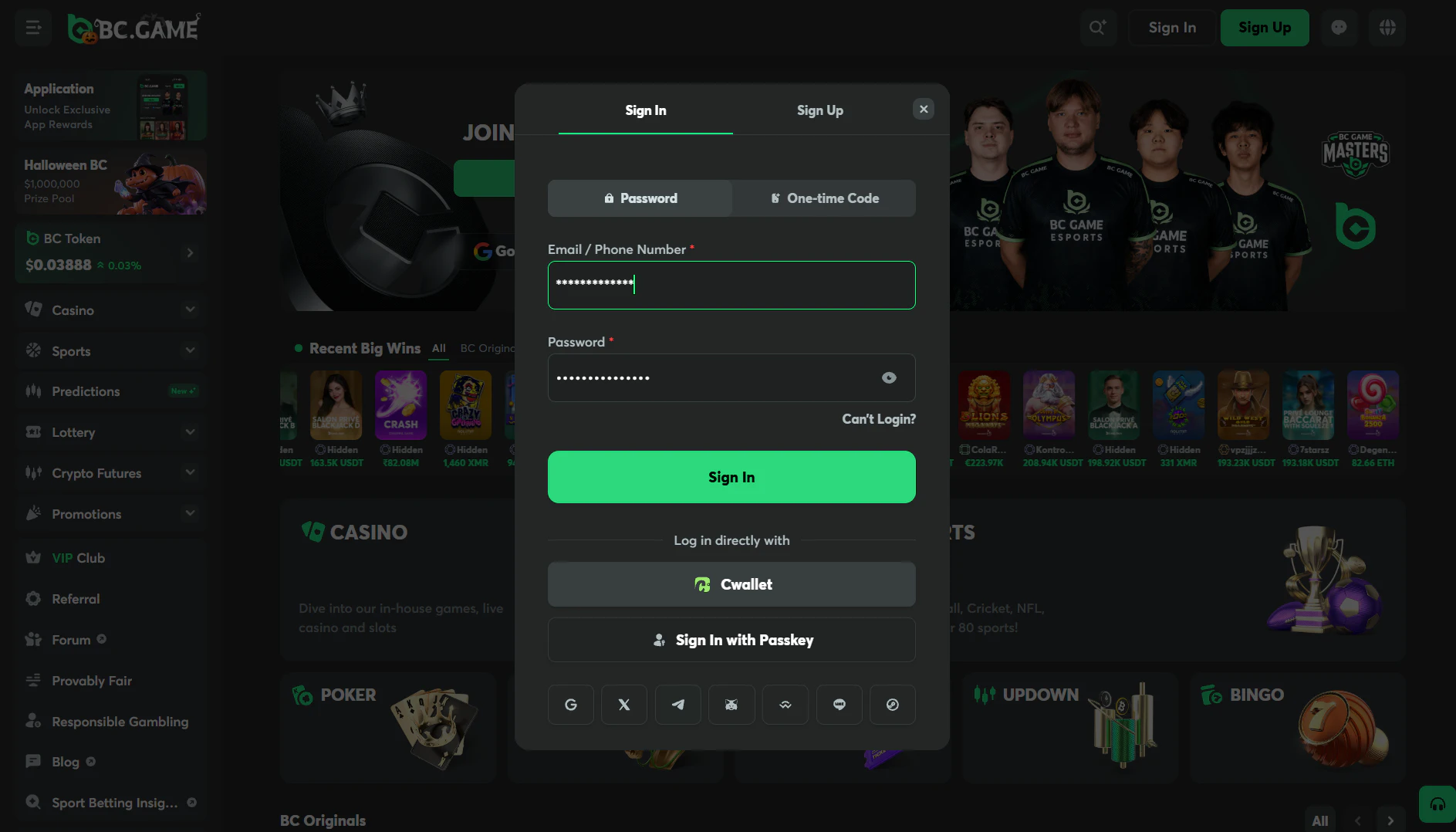
A PC or laptop doesn’t need a download at all. Open the site, press Login, and the form matches the phone one.
Important Points About compatible Browsers for Desktop Login
The brand publishes no browser list, so here’s my practical answer. Chrome, Firefox, Edge, Safari, any of them opens the site if it’s up to date.
Allow cookies, because the session lives in one. An ad blocker can break the form too. Login button dead? Try a private window with extensions off before you blame the password.
A Closer Look at Session Persistence and Shared Device Risks
Staying signed in has a catch. Like most sites, this one tends to keep you signed in when the tab closes, and the browser may offer to save the password on top. Fine at home, a problem on a shared PC.
My rule is simple. On a device that isn’t mine I decline the password save, sign out, then close the browser.
Available Account Authentication Methods
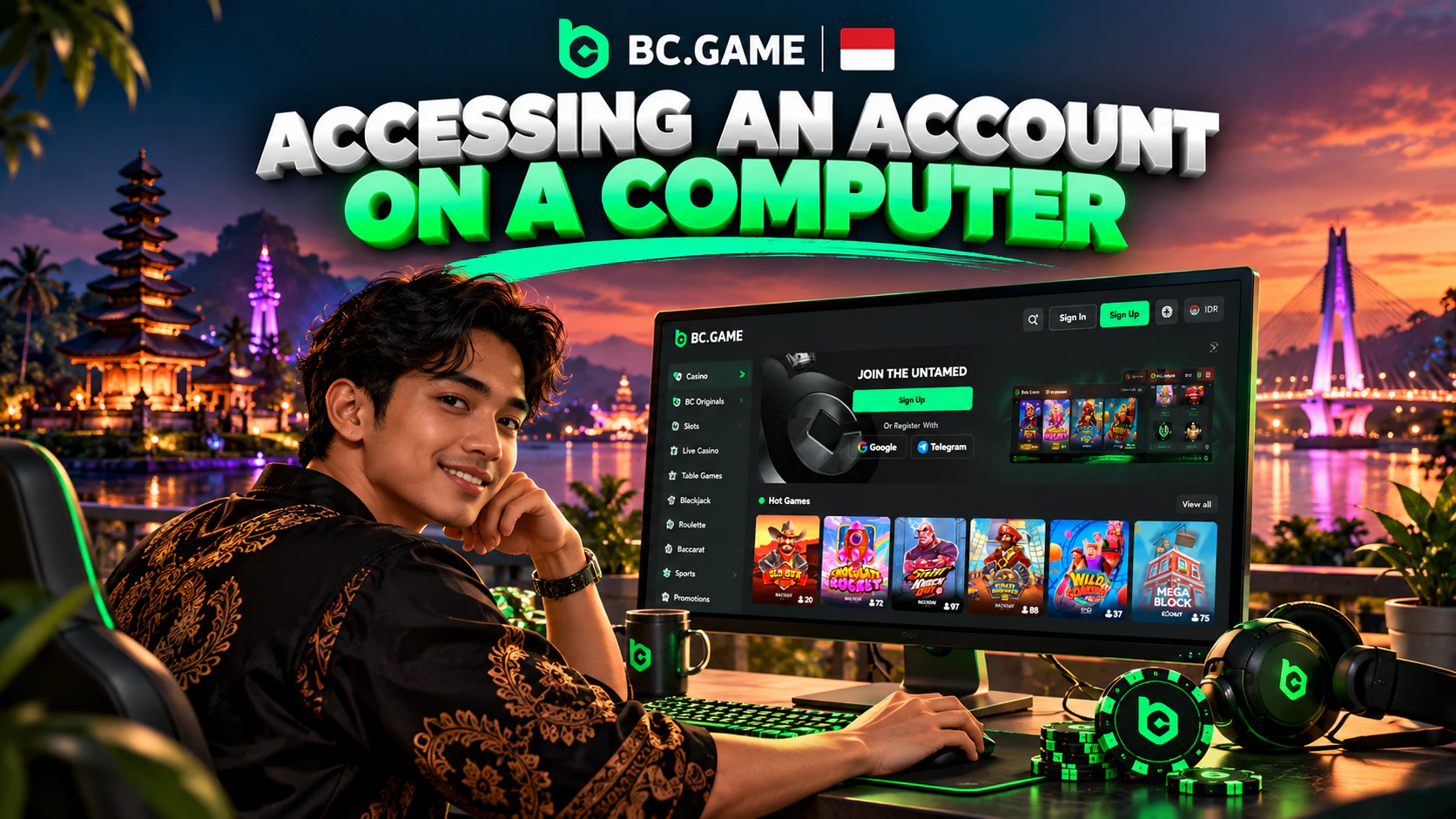
Five ways to prove it’s you, all opening one account. Password plus inbox or number, Google, Telegram, Cwallet, or a passkey.
Why set up more than one? Because the day the password slips your mind, Telegram or a passkey still gets you in. I’d have two.
Key Information on Using Email Credentials to Sign In
The address you registered plus the password you chose. Once registered, that address stays fixed, and so does the username, so pick an inbox you’ll keep.
Not sure which inbox it was? Whichever one received the confirmation code at sign-up is the one.
A Practical Guide to account Access via Mobile Number
Registered with a number? Then the form takes that number and your password. Pick the Indonesian country code and type the number as you did at sign-up.
No SMS code replaces the password here, and 2FA still applies. A verified number also lets you switch 2FA on, as a verified email does.
Important Points About third-Party and Wallet Sign-In Options
Google and Telegram count as the social routes. Press the button, approve on their side, done. The site doesn’t see your Google password.
A passkey is newer, and I like it most. The phone or laptop holds a key, and a fingerprint, your face or a PIN confirms it. No password gets typed, so a fake page has nothing to catch.
Cwallet is a separate crypto wallet, and an account there can sign you in too.
A Comparison of Logging Into Your Account Alternatives
Which route is quickest, and which is hardest to steal? No stopwatch numbers, I’d be inventing them.
| Login Method | Speed | Security | Device Compatibility |
| Inbox or number plus password | Slowest, two fields and a code | Only as good as the password and 2FA | Every device and browser |
| Fast once signed in to Google | Tied to the Google account | Anything with a Google session | |
| Telegram | Fast where Telegram is open | Tied to the Telegram account | Phone first, PC via Telegram web |
| Passkey | Fastest, one touch | Hardest to phish, nothing to reuse | Only the devices where you made it |
| Cwallet | Fast with the app at hand | Tied to the Cwallet account | Anything with a Cwallet account |
Recovering Account Access When You Forget a Password
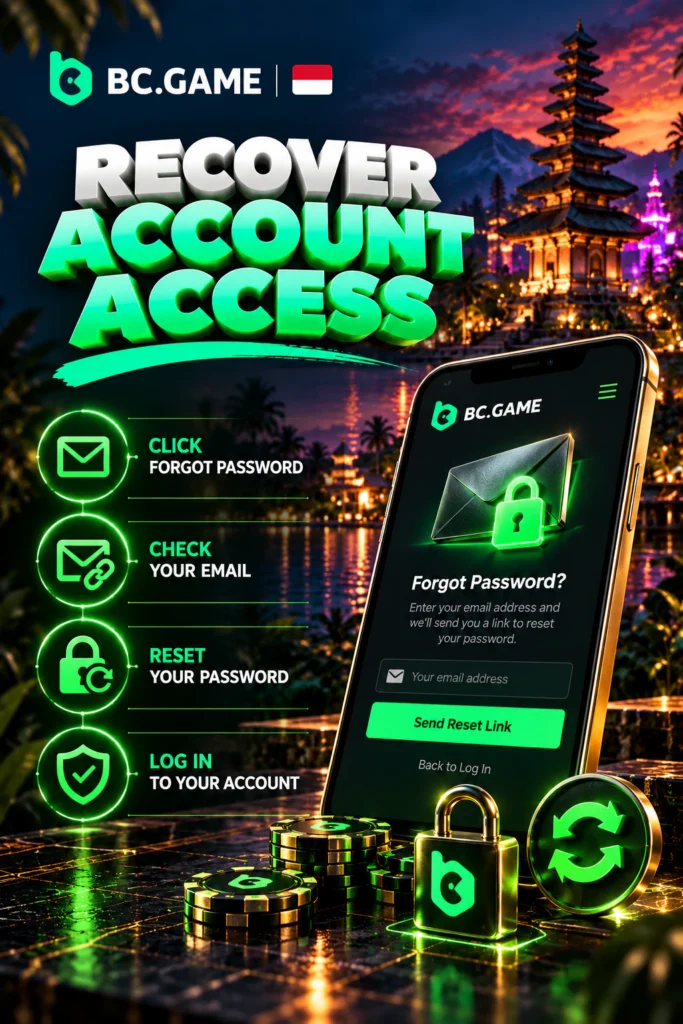
Forgot Password is right there on the form, and if the registered inbox or number still works the reset takes minutes. Recovery always goes to the contact you registered, since nobody can swap that address.
Key Information on Steps to Reset Account Credentials
- Open the form and press Forgot Password.
- Type the inbox or number on the account.
- Wait for a message with either a code or a reset link.
- Enter the code, or open the link, and choose a new password.
- Log in again with that password and your 2FA code.
One detail people miss. A new password also freezes withdrawals, 24 hours exactly. Say your wallet holds 52 USDT and you reset on Monday evening. A request to send 23 USDT out waits until Tuesday evening.
A Practical Guide to if the Password Recovery Message Is Missing
Nothing after five minutes? Spam and Promotions first, that’s where most of these land. Then reread the address you typed, since one wrong letter sends the message nowhere.
Still nothing? Ask again, once, and wait. Inbox dead and old number gone? Then it’s the chat, or email [email protected], and expect questions only the owner can answer.
Important Points About why Account Login Might Fail
The cause is usually boring. A typo, a blocked domain, an extension, or a code that expired while you were finding the phone.
Fixing Incorrect Login Details
Start with the obvious. Caps Lock, a space copied at the end, the wrong address out of the three you own. Type the password by hand once instead of pasting.
Then ask which account this is. Signed up through Google or Telegram? Press that button instead of guessing a password that may never have existed.
How to Approach Handling Account Verification Delays
KYC never blocks your login. Its risk rules decide the timing, usually a sizeable withdrawal request or an alarm on the account. So an unfinished check keeps money inside, not you outside.
What’s wanted? Basic level means a photo ID, each side, and five selfies from different angles. The advanced level wants something that proves your address, at most three months old. Six tries, and you’ll get an email explaining each refusal.
Key Information on Checking Website Access and Connection Issues
Do other sites open? If not, it’s your connection. If they do and bc.game won’t, the domain is likely blocked, and support has a fresh mirror for you.
Page loads but the form hangs? Refresh once, wipe this site’s cache, then try another browser or a private window.
Account Access Solutions for Table
The usual faults, with the fix to try before you bother support.
| Problem | Possible Reason | Recommended Solution |
| Wrong password message | Typo, Caps Lock, old password | Type it by hand, then Forgot Password |
| 2FA code refused | Phone clock drifted or code expired | Correct the phone time, wait for the next code |
| Reset message never arrives | Spam folder, mistyped address | Check Spam, retype the address, ask again |
| Login button does nothing | Extension or blocked cookies | Private window, allow cookies, update the browser |
| Site refuses to open | Domain blocked or down | Fresh mirror from support or the Telegram channel |
| Logged in, withdrawal waits | Password changed or 2FA switched off within a day | Wait out the freeze, watch the transaction history |
Important Points About improving Your BC Game Account Security
The account holds money, so treat the BC Game login like a bank login. Three habits do the job, one per section below.
A Closer Look at Adding an Extra Verification Layer
2FA adds a second code after the password. Google Authenticator is the app, Global Settings and then Security is the place, and the switch only works after your email or number has been verified. Scan the code, type the six digits the app shows, done.
Guard the recovery key. It’s shown during setup and it’s your only road back if the phone disappears. Paper, not a screenshot. Turning 2FA off triggers the same day-long freeze on withdrawals.
Selecting Secure Account Credentials
A good password here is long, random and used here only. Twelve characters or more, no pet names, no birth year.
Let a password manager make and keep it. Not a notes app, not a chat with yourself, since those get read when the phone disappears.
Identifying Fake Login Pages
A fake copies the design exactly, so looks tell you nothing. The address does. Read it letter by letter. An extra letter, a hyphen, a country word tacked on, no padlock.
Your password belongs on bc.game itself or on a confirmed mirror, nowhere else. Any page that styles itself as the BC Game Indonesia login and wants your password is fake, since no such page exists.
The real site doesn’t want your seed phrase, charges nothing to “reactivate” an account, and promises no bonus for sending funds first.
Features Available After Logging In
Once inside, your avatar appears where Login was. From there you reach the games, the wallet, the Bonus section, your transaction history and the settings.
Important Points About exploring the Casino Library After Login
The lobby lists over 7,000 titles from sixty-odd studios. Pragmatic Play slots, Hacksaw Gaming slots, Evolution’s Crazy Time and its Lightning Roulette, plus the house-made BC Originals. Crash, Plinko, Mines, Limbo and the rest are provably fair, with Crash paying 99% RTP.
Sports get their own tab. Liga 1, England’s Premier League, badminton, MotoGP, plus MLBB for esports fans.
A Closer Look at Managing Payments From Your Account
Avatar, then Wallet. Deposit opens the Crypto tab, where you choose a coin, choose a network and copy an address. Withdraw wants the coin, the network, your address and the amount, and finally the 2FA code. History sits under the Transaction tab.
Under Fiat you might see IDR choices, GoPay, OVO, DANA, QRIS or a local bank transfer. Rely on that only when your own tab shows those names. Crypto is the way I know works.
How to Approach Viewing Promotions and Loyalty Benefits
Here’s where the BC Game login bonus myth gets settled. Nothing’s paid for logging in. Inside you’ll find rakeback, which every bet feeds, and a daily bonus worked out from the day before. Then there’s the monthly bonus across four deposits, 180% on deposit one rising to 360% on deposit four. The cycle restarts on the first of each month at 07:00 WIB, since the site’s clock runs on UTC.
Say your rakeback shows 9 USDT. Press claim and it’s in your balance. The deposit bonus lands as BCD that’s locked, and each settled bet frees a little, so it isn’t cash on day one. VIP levels climb with XP.
Recommended Practices for Convenient, Secure Login
My short list, in the order I’d do it:
- Type bc.game yourself, or a brand-confirmed mirror, and ignore login links posted in chats.
- Set 2FA up the day you register and put the recovery key on paper.
- Use a password found nowhere else, and let a manager remember it.
- Don’t let a borrowed device save your password, and log out before handing it back.
- Add a second login route, a passkey or Telegram, so one lost password can’t lock you out.
Final Overview
Logging in is the simple bit. Password, Google, Telegram, Cwallet or passkey, all landing in one account. The harder bit is doing it only on the genuine site, with 2FA on and the recovery key kept. Mirror addresses come straight from the brand, never from a stranger. Rules shift, so compare anything here with the brand’s own help pages first.
